In 1966 the designer Paul Rand wrote: "Design is the silent ambassador of your brand". Sixty years later, behavioural research has quantified precisely how much that ambassador can achieve — or destroy. Studies by Forrester Research show that every dollar invested in UX returns 100 dollars. A well-designed interface can increase conversions by 200–400% compared with a poorly designed one, with the same traffic and the same offer.
In this guide I explore the fundamental principles of
Sources: Lindgaard et al. (2006); Google/DoubleClick (2016); Aberdeen Group (2008)
Visual hierarchy: guiding the eye towards conversion
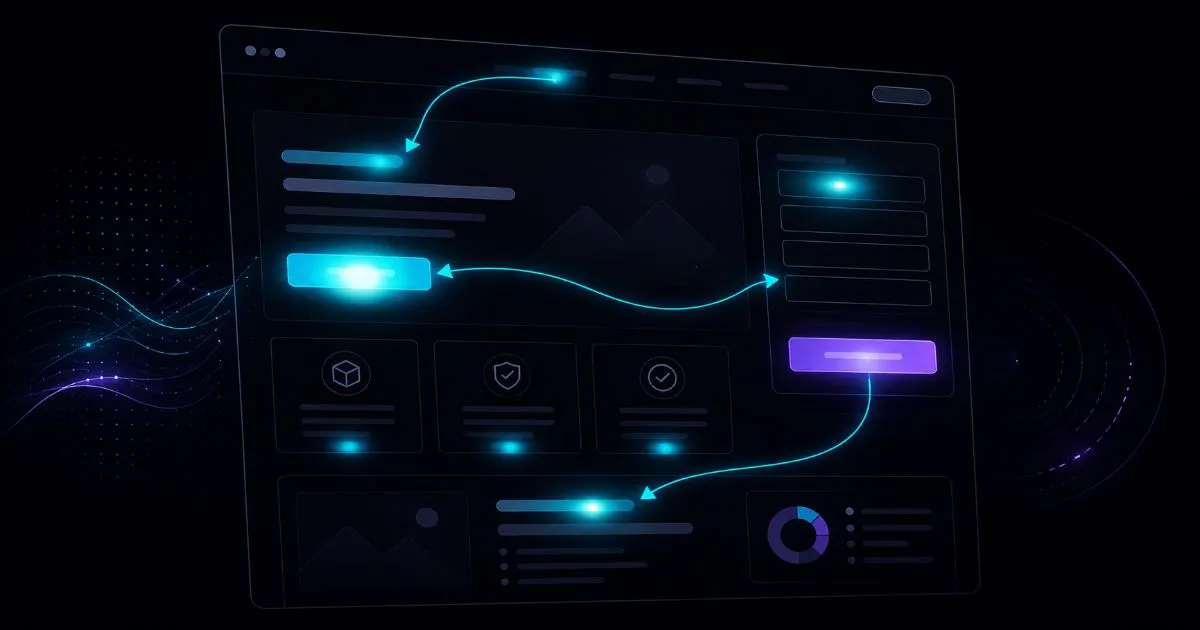
Visual hierarchy is the design principle that determines the order in which the eye perceives the elements of a page. Eyes don't read the web the way they read a book — they scan in predictable patterns (an F-pattern for text, a Z-pattern for visual pages) and linger on elements that stand out through size, contrast, colour or position.
An effective visual hierarchy for conversions is built deliberately: the most important element — typically the main headline or the CTA — must be visually dominant. Secondary elements (subheading, benefits, social proof) come next. Tertiary elements (navigation links, footer, legal text) should be visually recessive so they don't compete with the conversion elements.
The most common problem: sites where everything is emphasised at the same level. When everything is important, nothing is. A site whose CTA button has the same size and visual weight as the footer text is unconsciously telling users that these things have the same priority.
The F-pattern principle applied to landing pages
Nielsen Norman Group's eye-tracking studies show that users read the web in an F-shaped pattern: they scan horizontally across the top of the page, then scan the middle with less attention, then look vertically down the left-hand side. The practical implications: the most important information goes in the first horizontal line and along the left margin, and H2 headings should contain the main keywords because they catch attention during the vertical scan.
Friction: identifying and removing the obstacles to conversion
Friction in contact and purchase forms
Forms are the main source of friction in online conversions. Every extra field lowers the completion rate. A study by Imaginary Landscape showed that cutting a form from 11 to 4 fields increased conversions by 160%. The questions to ask about every field: is it strictly necessary to complete this transaction? Can I collect it after the conversion? Can I get it another way (e.g. geolocation for the postcode)?
Other sources of friction in forms: labels inside the field that disappear as the user types (forcing them to remember what was written), error messages that only appear after submitting (instead of in real time), required formats not communicated in advance ("enter the number without spaces") and intrusive CAPTCHAs that slow down genuine users.
Friction in navigation
A menu with 15 top-level items is friction. An e-commerce category structure that takes 5 clicks to reach a specific product is friction. Hick's law — the time it takes to make a decision increases logarithmically with the number of options — applies directly to navigation. Fewer main choices, faster decisions, fewer drop-offs.
Friction in e-commerce checkout
Checkout is the point of maximum friction for e-commerce — on average 70% of carts are abandoned. The main causes: having to create an account before buying, shipping costs revealed only at the end of checkout, too many steps, and a lack of the user's preferred payment options. Introducing guest checkout alone typically reduces abandonment by 15–20%.
CTA design: the psychology of the button
The CTA button is the most tested element in web design, and there's plenty of empirical evidence on the factors that affect conversions:
There's no "universal CTA colour" — what matters is that the button contrasts significantly with the background and with the page's other interactive elements. A green button on a green background has a very low conversion rate; the same button on a white or grey background works much better. Colour should create visual separation, not just look nice.
A CTA button must be large enough to be clearly clickable (at least 44x44px according to mobile accessibility standards) and surrounded by enough white space not to look "smothered" by the surrounding content. White space around the button increases its visual importance without making the button itself any bigger.
The main CTA must be visible without scrolling on desktop. Users don't always scroll — someone arriving on mobile who only finds the CTA at the bottom of a long page is very likely to leave. Include the CTA above the fold as well, even if you repeat a more elaborate version at the bottom of the page.
Mobile UX: design for the thumb, not the mouse
In Italy 65–70% of web traffic comes from mobile. Yet many sites are designed desktop first and then adapted to mobile — an approach that inevitably produces a second-rate mobile experience. Mobile-first design reverses this priority: you design for the smallest screen first and expand for desktop.
Thumb zones — the areas you can comfortably reach with your thumb on a medium-sized smartphone — are crucial for placing interactive elements. The centre and bottom of the screen are easy to reach; the top and side edges take more effort. CTA buttons, main menu items and form inputs should sit in the thumb zone.
Other critical mobile UX principles: a minimum font size of 16px to stop iOS from auto-zooming on fields (which breaks the layout), touch targets of at least 44x44px, no hover state as the only indicator of interactivity (touch screens have no hover), and load times under 3 seconds — beyond that threshold 53% of users leave.
Micro-interactions: the details that build trust
Micro-interactions are the small visual feedback cues an interface gives users in response to their actions: the animation when a product is added to the cart, a form field changing colour when it's filled in correctly, the loading indicator while waiting for the server to respond. They seem like negligible details, but they serve an important psychological function: they tell users the system is working and their action has been registered.
Without micro-interactions there's uncertainty — did I click? Was the form sent? Is it loading? This uncertainty leads to multiple clicks (which can cause duplicate purchases or submissions), abandonment or frustration. A simple loading spinner and a visual confirmation message after submitting a form significantly reduce confusion.
Heatmaps and session recordings: seeing what users do
Heatmaps show where users click, where they linger and how far they scroll on every page. Session recordings show individual users' behaviour on video. These tools turn design hypotheses into concrete evidence.
Main tools: Hotjar (free plan available for up to 35 sessions a day), Microsoft Clarity (free and unlimited, integrates with GA4), FullStory (enterprise). Microsoft Clarity is often the best choice for beginners: free, no session limits and native integration with Google Analytics 4.
What to look for in heatmaps: non-clickable elements that users click on (unmet expectations), the point where most users stop scrolling (content below this threshold should be moved or removed), and CTAs that get few clicks despite being above the fold (a design or copy problem).
A/B testing in design: deciding with data
A/B testing is the scientific method applied to design: you show two versions of a page to random groups of users and measure which converts better. It's the only way to know for sure which design decision works for your specific audience — because what works for Amazon doesn't necessarily work for you.
Before starting an A/B test: define the hypothesis ("I believe changing the CTA colour from grey to green will increase clicks by 20%"), choose a primary metric (click rate, conversion, revenue), calculate the sample size needed for statistically significant results, and set a minimum test duration (at least two weeks to rule out seasonal variation). Without these steps, the test results aren't reliable.
Designing for trust: the elements that reassure visitors
Trust is the prerequisite for any online conversion. A user who doesn't trust the site will never buy, however beautiful the design or persuasive the copy. Designing for trust means the set of visual and structural elements that communicate legitimacy, security and reliability immediately and unconsciously — before the user has read a single word.
SSL certificate (HTTPS): the padlock in the browser bar is the most basic security signal — an HTTP site in 2026 is abandoned by the vast majority of users before any interaction.
Visible legal information: a VAT number, a physical address, and an accessible privacy policy and terms of service reduce perceived risk, especially for B2B purchases.
Recognisable payment methods: Visa, Mastercard and PayPal logos on the checkout page increase trust in the infrastructure — visual recognition of payment brands triggers an association with secure transactions.
Explicit guarantees: "free returns within 30 days", "satisfaction or your money back", "no lock-in contract" — they reduce perceived risk and lower the barrier to the first conversion.
Design can amplify or destroy trust. A site with visible typos, blurry or pixelated images, broken links or a footer copyright from five years ago signals neglect and abandonment — even if the product is excellent. Users judge the quality of the product by the quality of the site presenting it: a well-kept site transfers that sense of care to the service itself.
Visual social proof in design
Social proof isn't just the content of testimonials — it's also how they're presented visually. Testimonials with a photo of the real client convert much better than anonymous ones. Logos of well-known clients increase credibility even when the user doesn't know those clients directly — visual recognition of the logo transfers the well-known company's credibility to the site displaying it. Certification and award badges have a direct impact on trust: the graphic symbol of a certification triggers an association with external quality control even when the user doesn't know the certifying body.
Accessibility and conversions: an often ignored pairing
Web accessibility — making sites usable by people with visual, motor or cognitive impairments — is often seen as a legal requirement to put off rather than an investment in conversions. In reality, the same practices that make a site accessible make it easier to use for everyone: someone on their phone on a dimly lit bus, someone over fifty, someone browsing in a hurry between meetings.
Accessible design also improves SEO: descriptive image alt text (which screen readers rely on) is the same attribute Google uses to understand the visual content of the page. A semantic HTML structure with correct H1, H2 and H3 headings (which helps screen reader navigation) is the same structure Google analyses to understand the content hierarchy and assign relative importance.
The accessibility checks with the biggest impact on conversions: sufficient contrast for all text, a visible focus state for keyboard navigation, descriptive alt text for all meaningful images, visible labels for every form field (not just placeholders that disappear while typing), and error messages that explain concretely how to fix the input — not just "invalid field".
Conclusion: design that converts is design that respects the user
Conversion-focused UX design isn't a set of tricks to manipulate users into clicking buttons. It's the art of removing the obstacles between a user with a problem and the solution you have for them. Every reduction in friction, every clearer visual hierarchy, every shorter form is a way of respecting the user's time and attention.
If you'd like a UX analysis of your site or a conversion optimisation project, explore the web services or contact me for a free initial assessment.
Good design goes unnoticed — it makes things easier. Good UX design doesn't get applause — it converts.
If you want to apply this to your own project, take a look at my website design and development service: clear prices from €300, a free quote and a reply within 24 hours.