Have you ever left a site because it took too long to load? Your visitors do the same. According to Google, 53% of mobile users abandon a page that takes more than 3 seconds to load. And if you think your WordPress site is fine as it is, you're probably losing traffic, rankings and customers every day without knowing it.
Sources: Google/DoubleClick (2016); Aberdeen Group (2008); Google, web.dev/vitals
Why WordPress speed is a critical problem
WordPress powers over 43% of all websites in the world. It's the most widespread CMS, but also one of the most easily weighed down by badly configured plugins, bloated themes and underpowered hosting. The result? Most WordPress sites have a PageSpeed score below 50 on mobile.
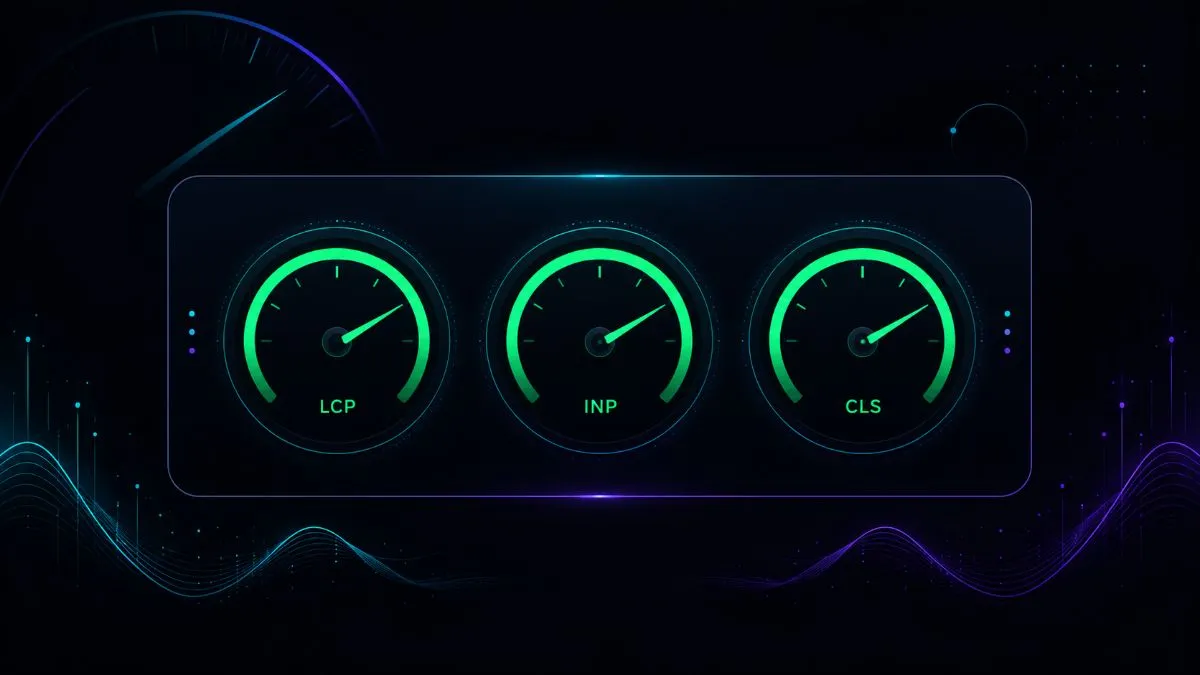
Google introduced
• LCP (Largest Contentful Paint): must be under 2.5 seconds
• INP (Interaction to Next Paint): must be under 200ms
• CLS (Cumulative Layout Shift): must be under 0.1
How to measure your site's performance
Before optimising anything, you need to know exactly where you stand. There are several tools for measuring a WordPress site's performance, each with a different angle.
Google's official tool. It analyses both desktop and mobile and shows real Core Web Vitals (CrUX data) as well as simulated lab data. Go to pagespeed.web.dev and enter your URL. Aim for 90+ on mobile.
Offers a detailed waterfall of HTTP requests, a loading timeline and specific suggestions. Useful for identifying which resources are slowing the site down. You can test from different geographic locations.
The most advanced. It lets you simulate slow connections, test on real devices and see a visual filmstrip of the loading process. Useful for advanced debugging of CLS and LCP.
Shows real data from the users visiting your site. Accessible from Experience → Core Web Vitals. It distinguishes between URLs that are poor, need improvement or are good.
The main culprits of slowness: where you lose points
In my experience optimising WordPress sites for clients, the causes of slowness are always the same. Before acting, identify which of these problems affect your site.
Underpowered shared hosting
Too many active plugins
Every plugin adds database queries, loads extra CSS and JavaScript files and uses PHP memory. A site with 40+ active plugins is almost certainly slow. The absolute number isn't the problem so much as the quality of the plugins' code. Some page builder plugins (certain versions of Elementor, Divi) load assets on every page even when they aren't needed.
Unoptimised images
Images uploaded as 2–5 MB JPEGs without resizing are among the most frequent causes of a high LCP. A 3,000×2,000px cover image displayed at 800×600px wastes bandwidth for nothing.
No caching system
WordPress is a dynamic CMS: without caching, every visit generates a new database request to assemble the page. On a site with decent traffic, this creates serious bottlenecks.
Render-blocking JavaScript
Scripts loaded synchronously in the `<head>` block page rendering until they've been downloaded and executed. This directly increases FCP and LCP.
Optimising hosting: the foundation of everything
No WordPress-side optimisation can make up for poor hosting. If your site is on cheap shared hosting with PHP 7.x and 512MB of RAM, the first investment to make is an upgrade.
For a professional WordPress site in 2026, consider:
- PHP 8.3 with OPcache enabled by default
- Redis object caching included
- Integrated CDN
- TTFB typically under 150ms
- WordPress-specific technical support
- PHP 7.x or 8.0 without optimised OPcache
- Resources shared with hundreds of other sites
- TTFB often 400–800ms
- No Redis or advanced caching
- Generic, non-specialist support
WordPress caching: how to configure it properly
Caching is the most effective technique for improving WordPress load times. There are several levels of caching, each with a specific role.
Saves the already generated HTML page to disk. Subsequent visits are served the static HTML file directly without querying PHP or the database. Recommended plugins: WP Rocket, W3 Total Cache, LiteSpeed Cache (if the server runs LiteSpeed).
Stores database query results in RAM. It drastically reduces repetitive queries. It requires server-side support (Redis or Memcached installed). Redis Object Cache is the standard plugin.
Tells the user's browser to keep CSS, JS and images locally for a set period. Configurable via .htaccess or a plugin. It reduces HTTP requests on subsequent visits.
Compiles PHP files into bytecode and keeps them in memory. It isn't a WordPress plugin but a server setting. It significantly reduces PHP processing time. Almost always enabled on modern hosting.
WebP images and lazy loading: optimising visual weight
Images typically account for 50–70% of a web page's total weight. Optimising them is often the single change with the biggest impact on LCP.
Converting to WebP
WebP is Google's image format: it offers 25–35% better compression than JPEG at the same visual quality. All modern browsers support it. In WordPress, plugins such as Imagify, ShortPixel or Smush automatically convert uploaded images to WebP and serve them to compatible browsers, with a JPEG fallback for older ones.
Correct sizing (responsive images)
WordPress automatically generates resized versions of uploaded images. Make sure your theme uses the srcset attribute to serve the right size for each device. A 1200px image shouldn't be served to a 390px mobile screen.
Lazy loading
Images below the fold (outside the initial viewport) shouldn't load immediately. The loading="lazy" attribute has been supported natively by WordPress core since 5.5. Make sure your theme doesn't override this behaviour.
JavaScript and CSS: reducing render blocking
The browser can't display the page until it has processed all the blocking CSS and JavaScript. Every millisecond wasted here delays the LCP and FCP the user sees.
Minification and concatenation
Minification removes spaces, comments and unnecessary characters from CSS and JS files, reducing their weight. Concatenation combines several files into one, reducing HTTP requests. WP Rocket, Autoptimize and LiteSpeed Cache handle this automatically.
Async and defer loading
Adding defer to non-critical scripts means they're downloaded in parallel but executed only after the HTML has been parsed. async executes them as soon as they're available. For most tracking scripts and social widgets, defer is the right choice.
Removing unused CSS
WordPress themes and plugins often load huge stylesheets of which only a fraction is used on each page. Tools such as PurgeCSS or WP Rocket's Critical CSS feature analyse which CSS rules are actually used and inline only those critical for the initial render.
CDN: delivering content globally
A
For an Italian site with mainly Italian traffic, a CDN with PoPs (Points of Presence) in Europe cuts transfer times for static files by 30–60%. The main options:
- Cloudflare (free): The most widespread. As well as a CDN, it offers DDoS protection, automatic image optimisation and minification. Easy to set up even without advanced technical knowledge.
- Cloudflare Pro/Business: Adds Polish (advanced image optimisation), Mirage (image lazy loading) and Argo (smart routing). Recommended for high-traffic sites.
- BunnyCDN: A dedicated, affordable and high-performing CDN. Great for sites that need a pure CDN without Cloudflare's extra features.
The WordPress database: cleaning and optimisation
Over time the WordPress database accumulates useless data: unlimited post revisions, expired transients, spam comments, orphaned post meta records. A bloated database slows down queries and therefore the whole site.
Limiting revisions
By default WordPress saves unlimited revisions of every post. Add this line to wp-config.php to limit them to 5:
Regular clean-ups
Plugins such as WP-Optimize or Advanced Database Cleaner remove old revisions, expired transients, auto-drafts and orphaned tables left behind by uninstalled plugins. Run a monthly clean-up on active sites.
Common mistakes that slow WordPress down
Recommended optimisation plugins
The most complete caching and optimisation plugin for WordPress. It handles page caching, minification, JS defer, lazy loading, preloading, CDN integration and Critical CSS in a single intuitive interface. No technical knowledge required. Recommended as an all-in-one solution.
They automatically convert images to WebP on upload and resize them to the dimensions defined in the theme. Imagify offers 20MB free per month, ShortPixel 100 free images per month.
CDN, WAF, DDoS protection and automatic optimisation. The free plan is enough for most sites. Configured via the official WordPress plugin or through the nameservers.
WordPress performance trends
The WordPress performance ecosystem is evolving fast. These are the most relevant trends of 2026 to know about:
INP has replaced FID as a Core Web Vitals metric: Interaction to Next Paint measures responsiveness to every interaction (not just the first, as FID did). This has shifted the focus to optimising the JavaScript that handles click, scroll and input events.
The Speculation Rules API and prerendering: Chrome now supports the Speculation Rules API, which lets pages be prerendered before the user clicks on them. Plugins such as Speculative Loading from WordPress.org let you configure it without touching code.
Edge computing and PHP at the edge: Platforms such as Cloudflare Workers let you run PHP (through WebAssembly) directly on the CDN's edge servers, completely eliminating origin server latency for cached pages.
New image formats (AVIF): AVIF offers even better compression than WebP (+20–30%) with excellent visual quality. Browser support is now broad. Imagify and ShortPixel are starting to support it in automatic conversion.
A step-by-step checklist: how to optimise WordPress from scratch
If you're starting from an existing site and want to improve performance systematically, follow this order. Working in the wrong order can waste hours on optimisations that are then undone by problems further upstream.
Before touching anything, run a test in PageSpeed Insights on both mobile and desktop, in GTmetrix and in the Core Web Vitals section of Google Search Console. Save the screenshots. They're your baseline: you'll need them to measure the improvement after each change. Without a baseline, you don't know whether you're improving or making things worse.
Check the PHP version in use (it should be 8.1+, ideally 8.3), the server's TTFB (it should be under 200ms) and the available RAM (minimum 256MB, ideally 512MB+). If the TTFB exceeds 400ms, no later optimisation will get you the score you want: fix the hosting first.
Install ShortPixel or Imagify and bulk-convert all existing images to WebP. This single change typically reduces total page weight by 30–50%. Check that the hero image has fetchpriority="high" and is NOT lazy loaded.
Install WP Rocket (or LiteSpeed Cache if you're on a LiteSpeed server). Enable page caching, CSS/JS minification, JavaScript defer and image lazy loading. Don't turn everything on at once: enable one feature, test, then move on to the next to isolate any conflicts.
Add the site to Cloudflare (the free plan is enough). Enable Auto Minify for HTML/CSS/JS and static caching. Set security to Medium. Check that pages are served with the CF-Cache-Status: HIT header.
Repeat the tests and compare with the baseline. At this point what usually remains is slow third-party scripts: chat widgets, heavy analytics, external Google Fonts. Load fonts locally, delay non-critical widgets with defer, and assess whether each third-party script is really necessary.
The economic value of speed: the ROI of optimisation
Optimising speed isn't just a technical or SEO matter: it has a direct, measurable impact on revenue. Studies by Google, Deloitte and Portent on real sites show clear numbers.
An improvement of
Calculating the ROI is straightforward: estimate your current conversion rate, calculate the expected increase (5–10% is a conservative estimate) and multiply by the average value of a lead or order. If the cost of optimisation is lower than the additional revenue over the following 3–6 months, the work pays for itself.
An often underestimated impact is on
For sites that depend on organic traffic, the value multiplies further: better Core Web Vitals mean better rankings, more impressions and more clicks — all without spending an extra euro on advertising. It's a positive flywheel: faster site → better rankings → more traffic → more conversions. Every investment in performance is an investment with compound returns over time.
Finally, consider the impact on your Google Ads Quality Score: a fast landing page earns higher scores, which lowers your CPC and improves ad position for the same bid. Performance optimisation benefits every channel at once: SEO, ads, direct conversions, email marketing — no other technical change has such wide-ranging reach.
Conclusion: where to start
Optimising WordPress speed can seem like an endless task, but by following the right order you get the maximum result for the minimum effort. Start with the hosting (the foundation of everything), install WP Rocket, optimise your images and configure Cloudflare. With these four changes, most WordPress sites go from 40–50 to 85–95 on PageSpeed.
If you run a business or e-commerce site where every second counts, bringing in a professional for a full performance analysis is an investment with a measurable return in conversions and SEO rankings.
Explore the WordPress site optimisation service or contact me for a free analysis of your site's performance.
A fast site isn't a technical detail: it's respect for your visitors' time and the foundation of every effective digital strategy.
Remember that speed is never a final destination: every WordPress update, every new plugin installed and every theme change can reopen performance problems. Schedule a quarterly check in PageSpeed Insights and Google Search Console to catch regressions before they significantly affect your rankings. The sites that stay fast over time aren't the ones optimised once, but those with a continuous monitoring process built into their management routine.
If you want to apply this to your own project, take a look at my developer support and maintenance service: clear prices from €60/hour, a free quote and a reply within 24 hours.